---
title: "Troubleshooting Dynamic Element Data Grabbing in Autify | Autify Guide"
slug: "how-to-grab-an-element-with-dynamic-data"
description: "Fix Element Grabbing Issues with Dynamic Data in Autify. Begin your 14 day trial!"
updated: 2024-07-17T06:12:10Z
published: 2024-07-17T06:12:10Z
canonical: "help.autify.com/how-to-grab-an-element-with-dynamic-data"
---
> ## Documentation Index
> Fetch the complete documentation index at: https://help.autify.com/llms.txt
> Use this file to discover all available pages before exploring further.
# How to grab an element with dynamic data
This is a troubleshooting guide for "Element not found" errors where the target element has data/text that is different from when the scenario was recorded.
On this page, you'll learn how to stabilize your test execution against dynamic data.
## Cause
During test execution, the test execution engine sees the element's inner text to check if the element is the same as the recorded one. Although the element's identity is not solely determined by the text or data within it, dynamic data such as dates, names, and email addresses can cause an "Element not found" error.
## Solutions
### 1. Use a CSS selector
Using a CSS selector is the quickest workaround. Let's take a look at an example. In the screenshot below, we can see that the latest article is displayed at the top half of the page. When a new article is created, the title, date, and author will change, and older articles are moved down to the card-like list on the bottom half of the page.
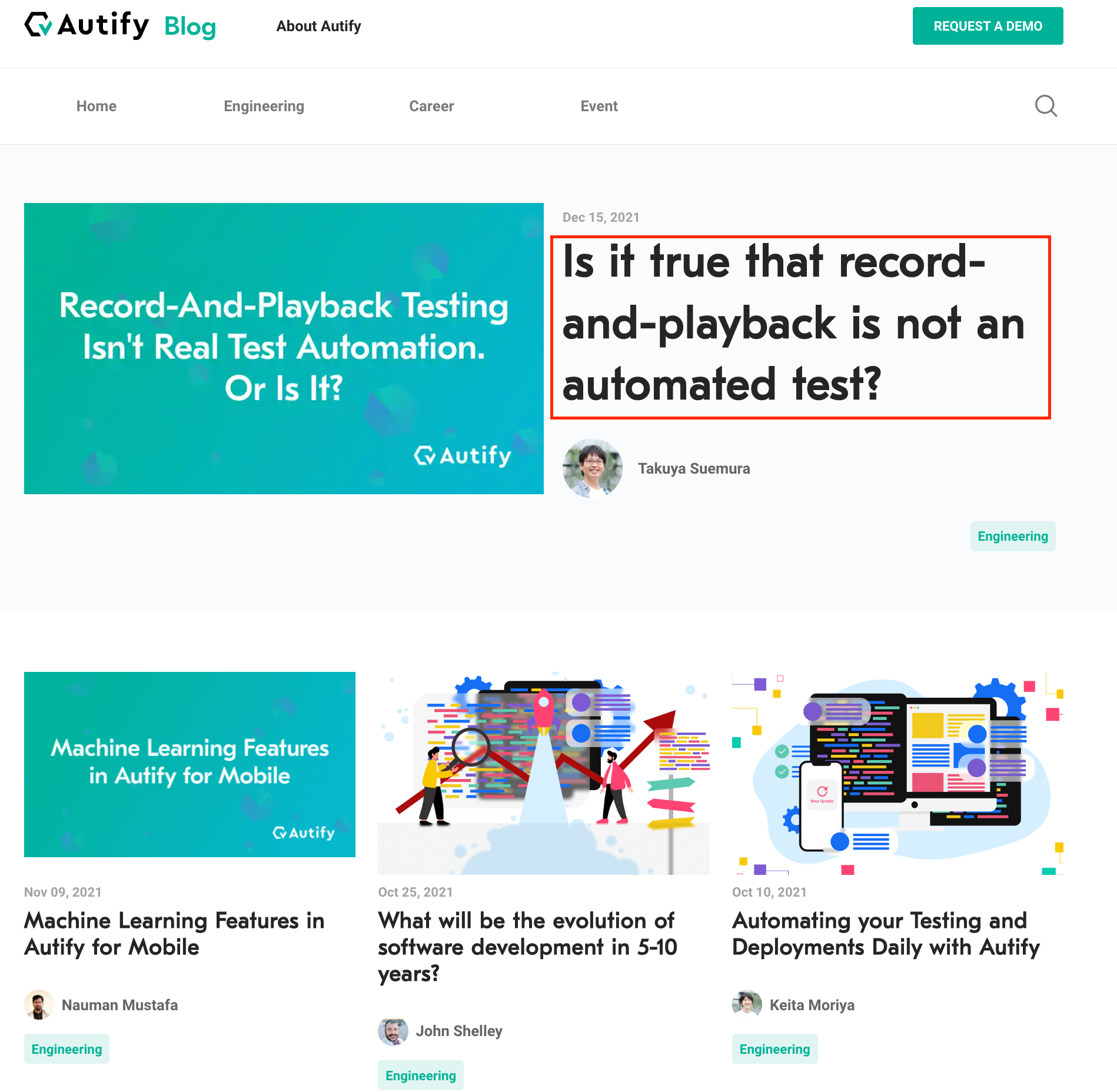
To make sure that the title of the newest article was clicked, you can specify it like this:
```
div.LatestPost h1
```
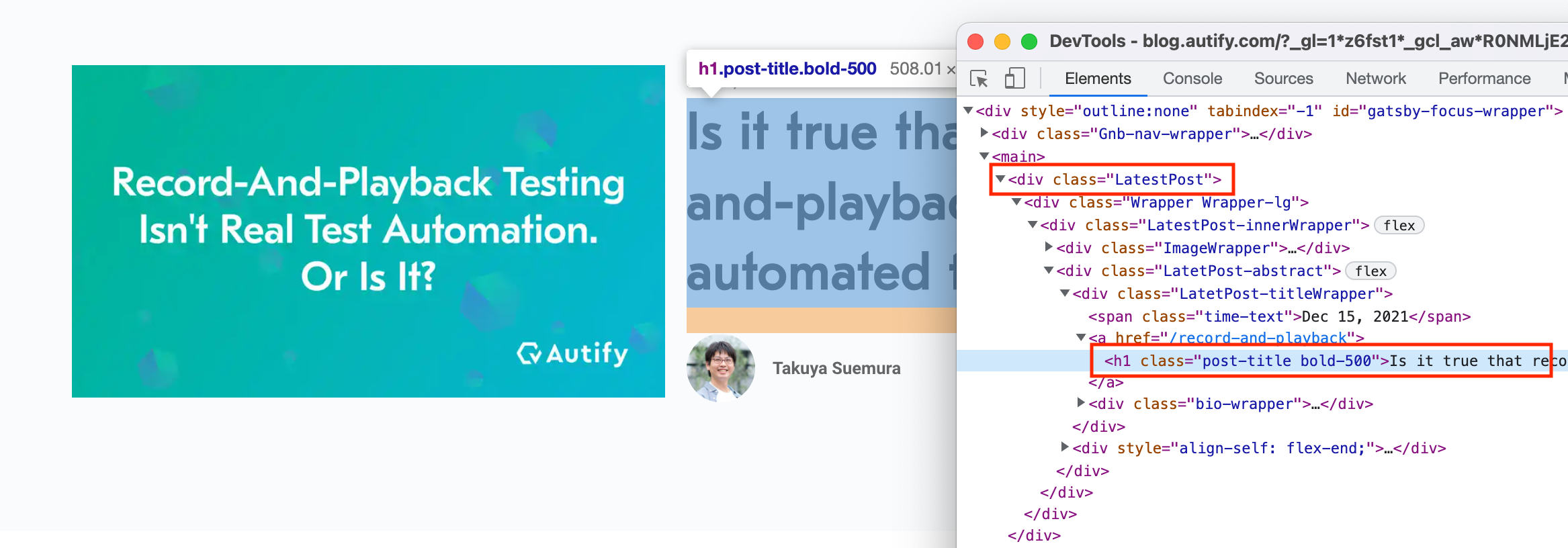
(To learn CSS selector basics, please see [Using CSS selectors effectively](/v1/docs/how-to-use-css-selectors-effectively))
### 2. Update your website's structure
The test execution engine uses information in HTML to identify elements. You can make your tests more stable by making each element more unique. The most common fix is replacing general-purpose elements such as `span`, `div` with something more meaningful ("semantic" in technical terms).
Here are two examples:
#### ❌ HTML structure with less clues
```
This is the page title
Date: Jan 1, 2021
John
```
#### ✅ HTML structure with more clues
```
This is the page title
Date:
John
```
Going back to the first example of our blog page, you can grab the title of the latest article without a CSS selector, even if a new article comes up. The title of the latest article is `h1`, i.e., the top-level header of the page, whereas the titles of older articles are `h3`. The test execution engine can use this difference to distinguish which title is that of the latest article.

It may not be a low-cost solution to improve the structure of your website to make it more meaningful. However, it's worth trying, especially if you cannot find an effective CSS selector.
### Use a JS Step
You can query an element that has expected text like below:
```
const expectedText = "Dec 15, 2021";
const allSpanElementsInPage = document.querySelectorAll("span");
// You need to convert the NodeList returned by querySelector to an Array
// to use the filter method.
const filteredElements = Array.from(allSpanElementsInPage).filter(
(el) => {
return el.innerText === expectedText;
}
);
if (filteredElements.length === 1) {
// Perform action as needed. For example, clicking.
filteredElements[0].click();
} else if (filteredElements.length === 0) {
throw new Error("No elements found with JS")
} else {
throw new Error(`Could not determine single element. ${filteredElements.length} found.`)
}
```
## Related articles
- To learn CSS selector basics, see [Using CSS selectors effectively](/v1/docs/how-to-use-css-selectors-effectively).
- To learn the definition of the term "Semantics", see [MDN Web Docs Glossary - Semantics](https://developer.mozilla.org/en-US/docs/Glossary/Semantics)